How to Verify Your KNEC Certificate Online in Kenya

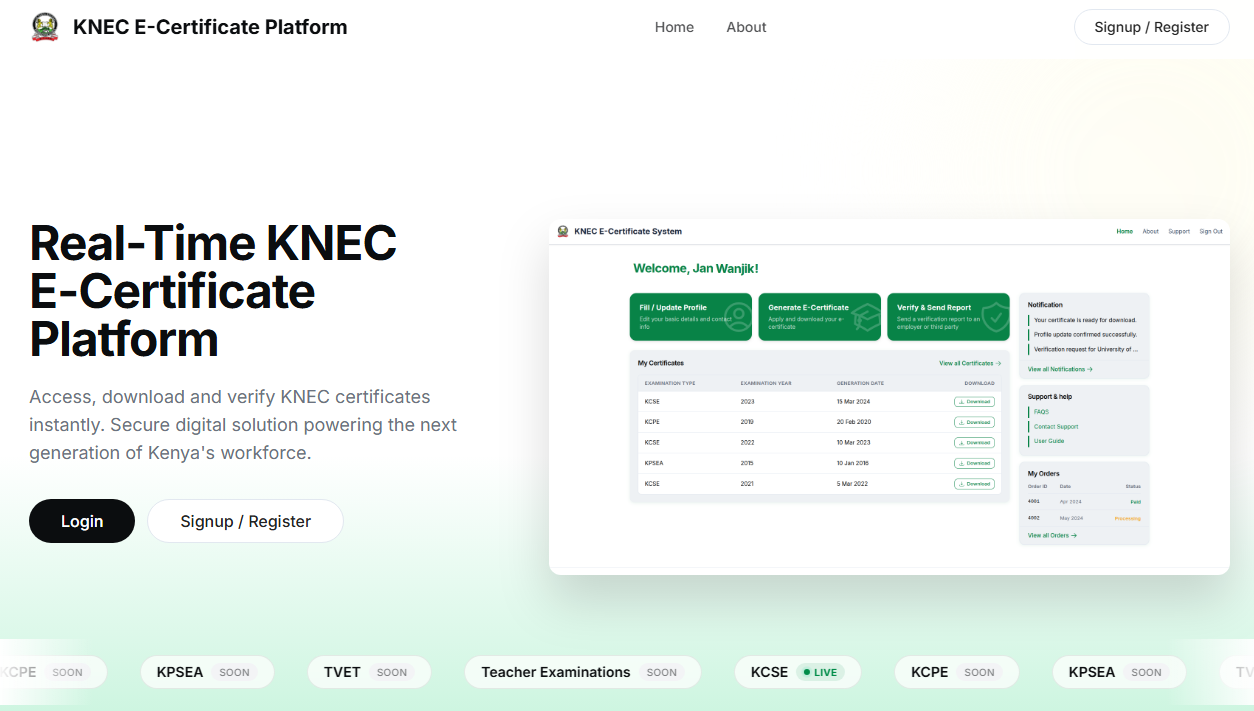
Verifying your academic credentials should feel like opening a well-labeled box, not solving a riddle. Kenya’s official systems make it possible to confirm KCPE, KCSE, and other KNEC awards online in a secure, traceable way. This guide walks you through every click, with visual cues and practical tips.
🧭 What you’ll need before you start
- Your exam type (KCPE, KCSE, etc.)
- Index number and year sat
- A scan or photo of your certificate or result slip
- A phone or email for notifications
- Optional but handy: a smartphone camera for QR code scanning on newer certificates
🏛️ About the official authority
All verification flows are managed by Kenya National Examinations Council (KNEC). Always use official portals to avoid fraud or delays.
🔐 Method 1: Verify instantly with the KNEC E-Certificate Portal (QR-enabled)
Best for: Fast checks, sharing with employers or universities, and QR code validation.
Step-by-step
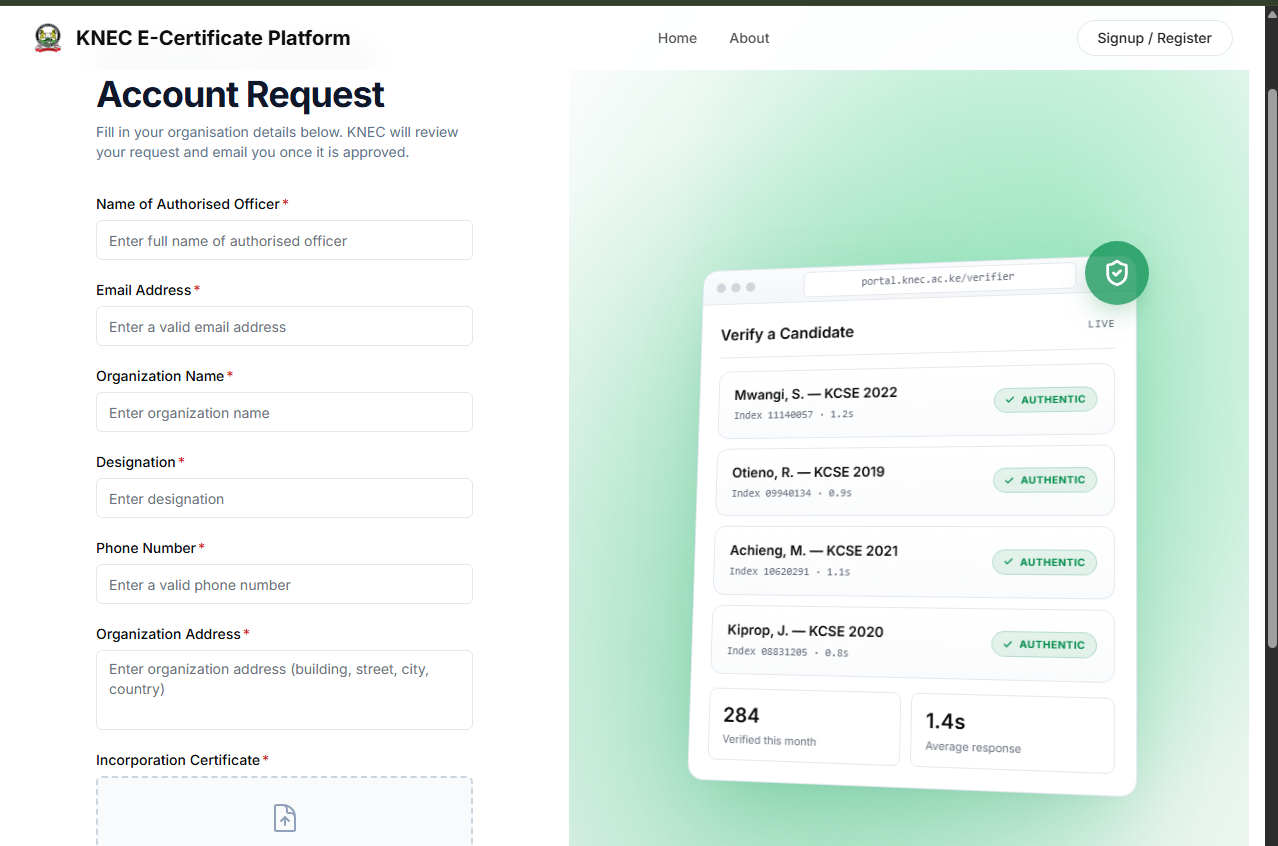
Open the portal
Go to the official E-Certificate site:
KNEC E‑Certificate Portal
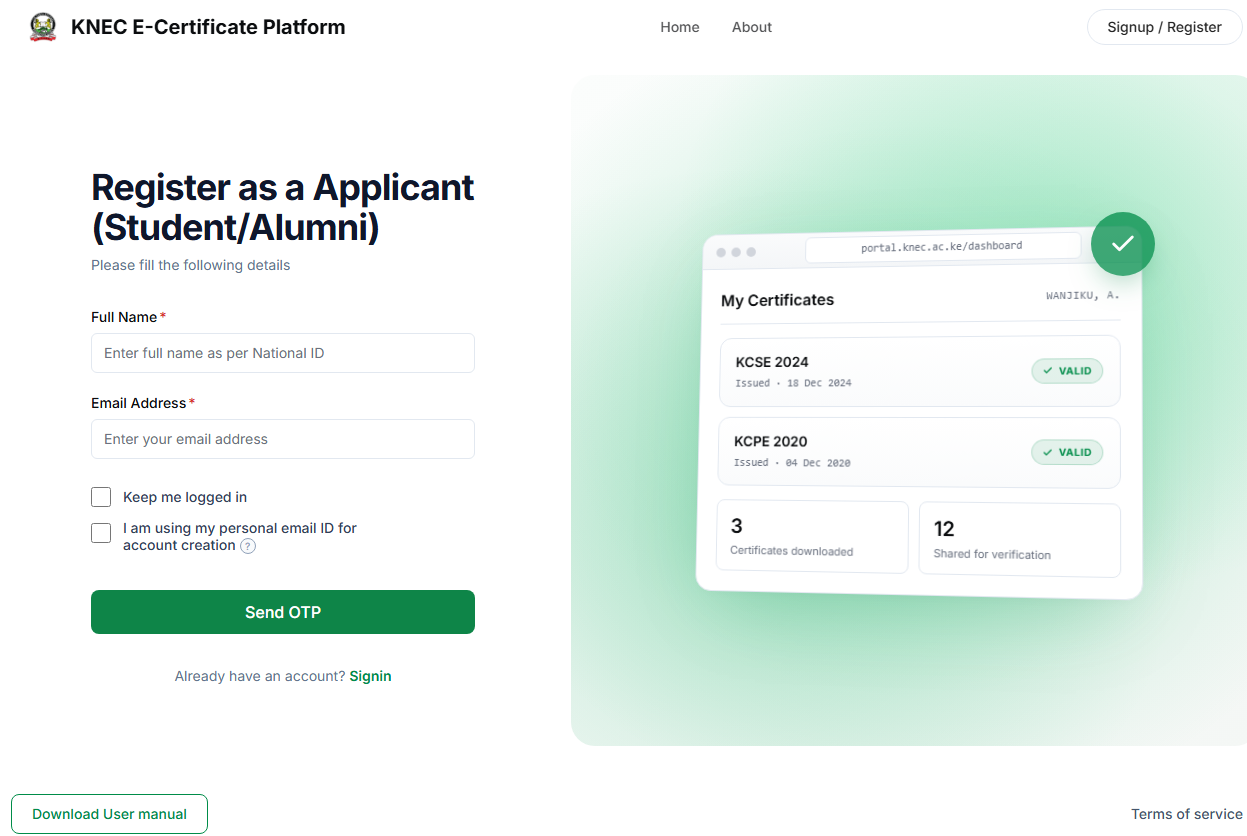
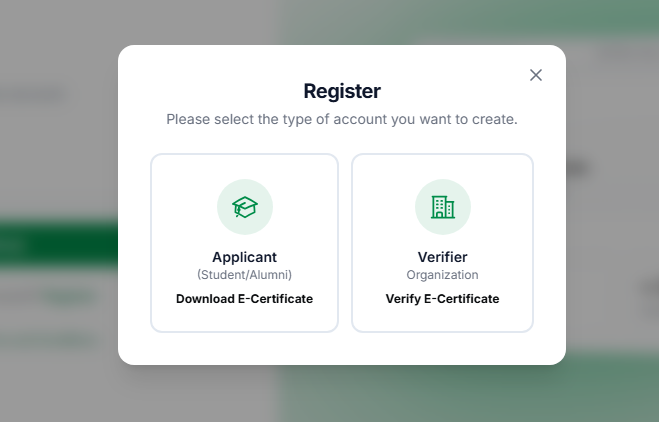
- Create an account or sign in
Register with your ID details and set a password. Returning users can sign in directly.
- Locate your certificate
Enter your exam type, index number, and year to fetch your record. - Verify authenticity
- Newer certificates display a QR code.
- Scan it with a smartphone to confirm authenticity instantly.
- Download or share
Save the tamper-proof e-certificate or share the verification link with third parties.
Tip: QR verification is near-instant and ideal for time-sensitive applications.
🧾 Method 2: Formal verification via QMIS (confirmation letters)
Best for: Employers, foreign institutions, or situations that require an official confirmation letter.
Step-by-step
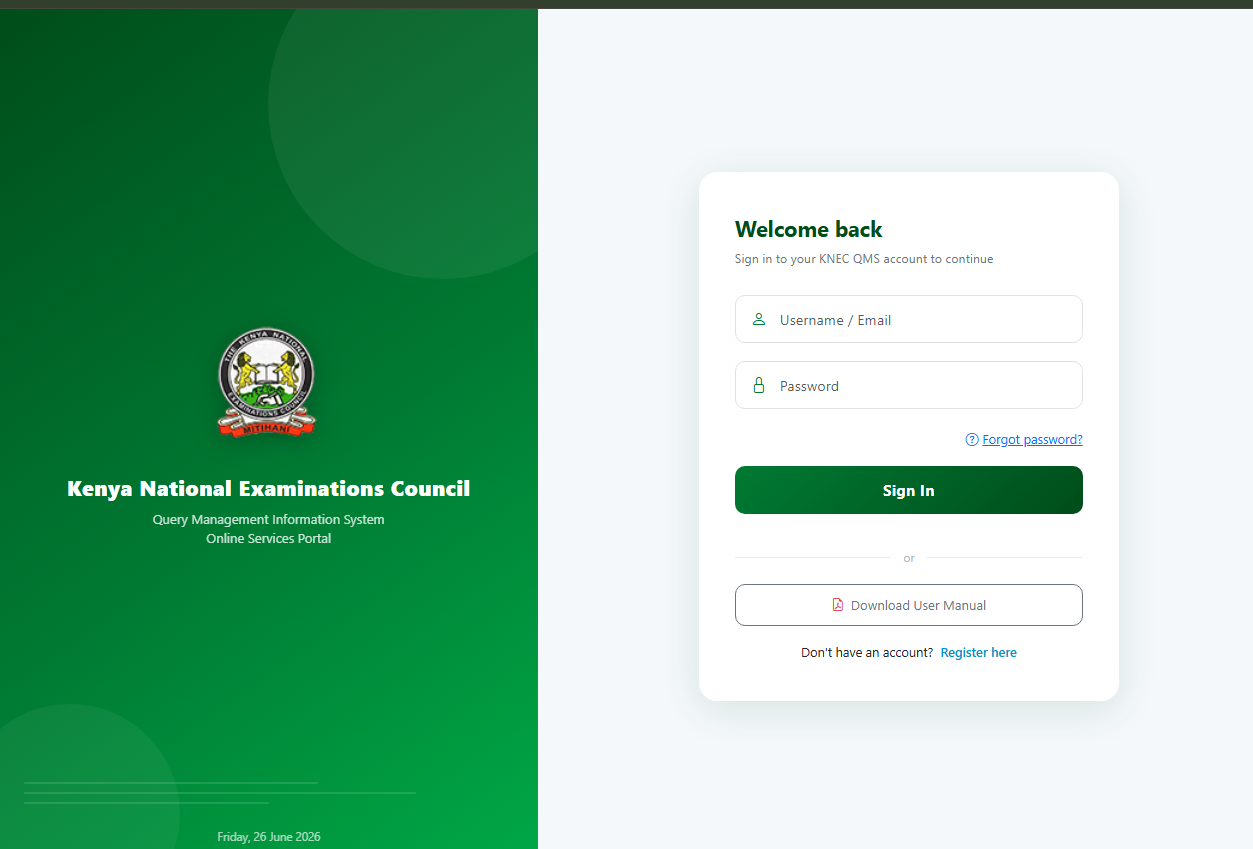
- Visit QMIS
Open the Query Management Information System:
KNEC QMIS Portal - Register or log in
Sign up with your email/phone, then verify your account. - Start a verification request
Choose Certificate Verification/Confirmation from the dashboard. - Enter exam details
Fill in exam type, index number, year, and candidate names as they appear on the certificate. - Upload documents
Attach a clear scan/photo of your certificate or result slip. - Pay the service fee
Follow on-screen instructions (often via M-Pesa). - Submit and track status
Monitor progress from your dashboard. Notifications arrive by SMS or email. - Receive the confirmation letter
Download or print the official KNEC confirmation letter once approved.
Timeline: QR checks are instant; confirmation letters typically take a few working days.
👔 For employers and institutions: how to check a candidate
- Request the e-certificate or confirmation letter.
- Scan the QR code on newer certificates for immediate validation.
- If needed, ask the candidate to initiate a QMIS confirmation addressed to your organization.
❓ Frequently asked questions
Do older certificates work?
Yes. Certificates issued before QR adoption can still be verified through QMIS or the E-Certificate Portal.
Is a photocopy enough?
No. Always use the official portals or QR scans. Photocopies alone are easy to forge.
Can I verify without uploading documents?
Formal confirmations usually require a scanned copy to match records accurately.
🚦 Common mistakes to avoid
- Using unofficial websites or agents
- Entering names that don’t exactly match KNEC records
- Uploading blurry scans
- Skipping payment confirmation in QMIS