From Vibe Coding to Production: Why Building an Application with AI Is Not the Same as Building Production-Ready Software

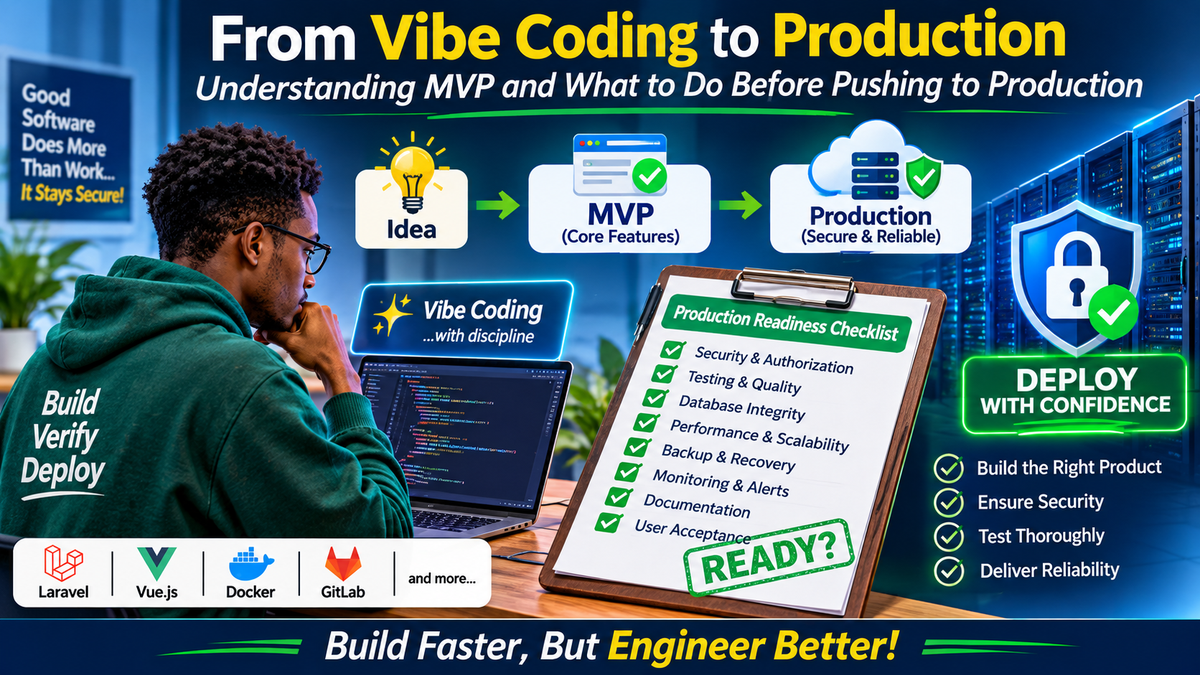
1. Introduction: The New Era of Software Development
Software development is experiencing a significant transformation.
A few years ago, building a reasonably complex business application required a team consisting of backend developers, frontend developers, database administrators, UI/UX designers, software testers and infrastructure engineers.
Today, an individual developer can use AI-powered coding assistants to generate an entire application from natural-language instructions.
With tools such as Cursor, Claude Code, GitHub Copilot, Windsurf and ChatGPT, developers can generate:
- Database schemas and migrations.
- Backend controllers and API endpoints.
- Frontend components and dashboards.
- Authentication and authorization systems.
- Payment integrations.
- Database queries.
- Docker configurations.
- Automated tests.
- Technical documentation.
- Deployment scripts.
What previously required several days of implementation can sometimes be accomplished within hours.
This development has popularized a concept known as Vibe Coding.
However, a new problem is emerging.
Developers are increasingly capable of building applications quickly, but the speed of implementation is not necessarily matched by the quality of engineering.
An application can have an impressive dashboard, dozens of modules, hundreds of database tables and apparently functional workflows while still containing serious security vulnerabilities, incorrect business logic, database inconsistencies and infrastructure weaknesses.
The distinction is important:
Building software is one activity. Engineering software that can safely operate in production is another.
This article explores the relationship between MVP development, vibe coding and production readiness. It also establishes practical engineering standards that developers should follow before deploying AI-assisted applications.
2. Understanding Vibe Coding
Vibe coding is an AI-assisted software development approach in which developers describe what they want to build using natural language and allow an AI coding assistant to generate or modify the implementation.
Instead of manually writing every line of code, the developer provides instructions, reviews generated output, tests functionality and iteratively improves the application.
For example, a developer might instruct an AI agent:
"Build a Laravel and Vue.js SACCO management dashboard with member registration, savings accounts, loan applications, loan approvals and financial reporting."
The AI agent may generate:
- Laravel models.
- Database migrations.
- Controllers.
- API routes.
- Vue components.
- Tailwind CSS layouts.
- Authentication workflows.
- Dashboard charts.
- Sample data.
- Application documentation.
The development process becomes conversational.
Illustration 1: Traditional Development vs Vibe Coding
TRADITIONAL DEVELOPMENT

Requirements
     |
     v
System Architecture
     |
     v
Database Design
     |
     v
Backend Development
     |
     v
Frontend Development
     |
     v
Integration
     |
     v
Testing
     |
     v
Deployment


AI-ASSISTED DEVELOPMENT

Requirements
     |
     v
AI Coding Assistant
     |
     +------> Generate Backend
     |
     +------> Generate Frontend
     |
     +------> Generate Database
     |
     +------> Generate Tests
     |
     v
Developer Review
     |
     v
Testing & Validation
     |
     v
Deployment
The second approach accelerates implementation, but it does not eliminate the need for architecture, testing, validation or human responsibility.
Popular AI coding tools
Some commonly used AI-assisted development tools include:
- Cursor: AI-powered code editor.
- Claude Code: Agentic coding assistant.
- GitHub Copilot: AI programming assistant.
- Windsurf: AI-assisted development environment.
- ChatGPT: Software development assistance, code generation and architectural reasoning.
The tools are different, but the engineering principle remains the same.
AI-generated code is still software code. It must be reviewed, tested and secured.
3. What Is MVP? Understanding Minimum Viable Product
MVP stands for Minimum Viable Product.
An MVP is the smallest version of a product that delivers its core value to its intended users and provides an opportunity to validate the product through real-world usage.
The objective is not to build every feature immediately.
Instead, the objective is to identify the essential functionality required to solve a specific problem.
Consider a company developing an online school management system.
A fully developed platform might eventually include:
- Student admission.
- Student records.
- Parent portals.
- Teacher management.
- Attendance.
- Timetables.
- Examinations.
- Fee management.
- Payroll.
- Human resources.
- Inventory.
- Library management.
- Transport management.
- SMS notifications.
- E-learning.
- Financial reporting.
Building every module simultaneously may require considerable time and resources.
An MVP could begin with:
- School registration.
- Student admission.
- Class management.
- Teacher registration.
- Attendance.
- Fee management.
- Basic academic reporting.
- User authentication.
- Role-based permissions.
This initial version can be used to validate whether the platform solves the intended operational problems.
Additional modules can be introduced based on user feedback and business priorities.
Illustration 2: MVP Development Progression
                PRODUCT IDEA
                     |
                     v
             IDENTIFY THE PROBLEM
                     |
                     v
              DEFINE CORE USERS
                     |
                     v
              DEFINE MVP SCOPE
                     |
                     v
          +-----------------------+
          |                       |
          v                       v
    CORE FEATURES          ESSENTIAL QUALITY
          |                       |
          v                       v
    IMPLEMENTATION          SECURITY
          |                 DATA INTEGRITY
          |                 TESTING
          |                 RELIABILITY
          +-----------+-----------+
                      |
                      v
                 MVP RELEASE
                      |
                      v
                USER FEEDBACK
                      |
                      v
               PRODUCT ITERATION
                      |
                      v
                PRODUCT GROWTH
What MVP does not mean
There are several misconceptions surrounding MVP development.
An MVP does not mean:
- An application without security.
- A database without proper relationships.
- An application with incomplete authentication.
- A dashboard containing non-functional buttons.
- A system that depends on hardcoded sample data.
- An application without error handling.
- A system that has never undergone testing.
- An application that developers intend to repair after customers start using it.
Minimum refers to the product scope, not the engineering quality.
A small application can still be professionally engineered.
4. Prototype, MVP and Production Product: Understanding the Difference
One of the biggest mistakes in AI-assisted development is confusing a working prototype with a production-ready product.
These are three different development stages.
| Characteristic | Prototype | MVP | Mature Product |
|---|---|---|---|
| Main objective | Demonstrate an idea | Validate a product | Support business operations at scale |
| Features | Demonstration features | Essential functionality | Extensive functionality |
| Real users | Usually limited | Pilot users/customers | Operational users |
| Security | Experimental safeguards | Appropriate production security | Comprehensive security controls |
| Testing | Exploratory | Structured testing | Extensive automated and manual testing |
| Documentation | Minimal | Operational documentation | Comprehensive documentation |
| Infrastructure | Development environment | Production-appropriate environment | Mature infrastructure |
| Monitoring | Usually limited | Required operational monitoring | Comprehensive observability |
A prototype can contain simulated transactions.
An MVP handling real financial transactions cannot rely on simulated transaction integrity.
A mature product may introduce advanced reporting, multiple branches, integrations, analytics and automated business workflows.
An important distinction: Minimum Viable vs Minimum Defensible
A useful additional concept is the Minimum Defensible Product.
This refers to the minimum set of engineering controls required to defend the application against foreseeable operational, security and data-integrity failures.
For example, a SACCO MVP may initially support only membership and savings.
However, if it processes actual member deposits, it must already have:
- Secure authentication.
- Transaction authorization.
- Accurate financial calculations.
- Database transaction handling.
- Audit trails.
- Data backups.
- Access controls.
- Recovery procedures.
These are not optional features to postpone until version two.
They are foundational requirements for handling real customer data and money.
5. The Hidden Dangers of Vibe Coding
AI coding assistants are powerful, but they can produce software that appears correct without being technically sound.
This creates several categories of risk.
5.1 Functionality Without Correct Business Logic
An AI-generated application may successfully execute a workflow without correctly implementing the underlying business rules.
Consider a loan management system.
A loan application may contain:
- Principal amount.
- Interest rate.
- Repayment period.
- Processing fees.
- Insurance charges.
- Repayment frequency.
The interface may calculate a monthly repayment and display it correctly.
However, the calculation could be wrong because the developer never specified whether the interest method should be reducing balance, flat rate or another approved calculation method.
The application works technically but fails operationally.
Lesson: AI must implement documented business rules, not invent business rules.
5.2 Security Vulnerabilities
A generated API might look like this:
Route::get('/members/{id}', function ($id) {
    return Member::findOrFail($id);
});
The endpoint returns a member record.
But who is allowed to access that record?
Can one member access another member's information?
Does the logged-in user have the required permission?
A safer implementation must enforce authorization.
For example:
Route::middleware('auth:sanctum')->group(function () {
    Route::get('/members/{member}', [
        MemberController::class,
        'show'
    ]);
});
The controller should also apply an appropriate policy or authorization check.
Authentication alone is not authorization.
Knowing who a user is does not automatically mean they can access every resource.
5.3 Hardcoded Credentials and Secrets
AI-generated projects sometimes contain:
- Database passwords.
- API keys.
- SMTP credentials.
- Payment gateway secrets.
- Default administrative credentials.
- Test tokens.
These should never be committed to a public repository.
Use environment variables and a secure secrets management process.
Example:
APP_ENV=production
APP_DEBUG=false

DB_CONNECTION=mysql
DB_HOST=127.0.0.1
DB_DATABASE=application
DB_USERNAME=application_user
DB_PASSWORD=secure-secret
The actual production .env must remain outside version control.
Add it to .gitignore:
.env
.env.*
!.env.example
Never assume that hiding a secret in frontend JavaScript makes it secure.
5.4 Database Design Problems
AI can generate database migrations very quickly.
However, generating database tables is not the same as designing a reliable database.
Common problems include:
- Missing foreign keys.
- Incorrect relationships.
- Duplicate records.
- Missing indexes.
- Inappropriate data types.
- Incorrect cascade deletion.
- Missing unique constraints.
- Inconsistent financial records.
- Poor transaction handling.
For example, a financial application should not use floating-point values for money calculations.
Use appropriate decimal precision.
A transaction involving a member's account and the general ledger should also be handled atomically.
If one part fails, the operation should not leave the database in an inconsistent state.
6. What Every Vibe Coder Must Do Before Production
This is the most important part of the discussion.
Before deploying an AI-generated application, developers should establish a formal production-readiness process.
6.1 Requirements and System Architecture
Do not begin complex development with a single vague instruction.
Start by documenting the system.
For an enterprise application, the following documents are useful:
| Document | Purpose |
|---|---|
| PRD.md | Product Requirements Document |
| SRS.md | Software Requirements Specification |
| ARCHITECTURE.md | Application architecture |
| DATABASE.md | Database design |
| API.md | API specifications |
| SECURITY.md | Security policies and controls |
| ROADMAP.md | Development roadmap |
| TESTING.md | Testing strategy |
| DEPLOYMENT.md | Deployment procedures |
| README.md | Project setup and overview |
| PRODUCTION_READINESS.md | Release requirements |
These documents provide a common reference for developers, AI agents, testers and system administrators.
Why architecture matters
Imagine an application built with:
- Laravel backend.
- Vue.js frontend.
- PostgreSQL database.
- Redis caching.
- Docker containers.
- External payment integrations.
Without a defined architecture, an AI agent might generate several competing approaches to authentication, duplicate API endpoints or inconsistent database relationships.
Architecture provides direction.
It defines how the different components interact.
Illustration 3: Typical Modern Web Application Architecture
                 USERS
                   |
                   v
              WEB BROWSER
                   |
                   v
              HTTPS / SSL
                   |
                   v
          REVERSE PROXY / NGINX
                   |
          +--------+--------+
          |                 |
          v                 v
     VUE FRONTEND      LARAVEL API
                            |
                +-----------+-----------+
                |           |           |
                v           v           v
             MYSQL       REDIS      QUEUE WORKERS
             DATABASE    CACHE          |
                |                       v
                |                  BACKGROUND JOBS
                |
                v
          BACKUP STORAGE

                            |
                            v
                    EXTERNAL SERVICES
                     /      |       \
                    /       |        \
                 M-PESA   EMAIL     SMS
The architecture should be documented before major implementation begins.
6.2 Conduct a Code Quality Review
AI-generated code should be reviewed just like code written by a human developer.
Review:
- Unused dependencies.
- Duplicate code.
- Deprecated functions.
- Incorrect naming conventions.
- Poor error handling.
- Excessive database queries.
- Hardcoded configuration.
- Unnecessary API calls.
- Inconsistent application structure.
- Missing input validation.
For Laravel applications, several tools can help.
| Tool | Function |
|---|---|
| Laravel Pint | PHP code formatting |
| PHPStan | Static code analysis |
| Larastan | Laravel-aware static analysis |
| Pest | Automated testing |
| PHPUnit | PHP testing framework |
| Composer Audit | Dependency vulnerability checks |
Example:
./vendor/bin/pint --testRun automated tests:
php artisan testRun static analysis where configured:
./vendor/bin/phpstan analyseCheck Composer dependencies:
composer auditA successful code generation process is not evidence of code quality.
6.3 Perform a Security Assessment
Security should never be treated as a final decoration.
It must be part of the development process.
Use the OWASP security framework as a reference.
Important areas include:
Authentication
- Are passwords securely hashed?
- Are login attempts rate-limited?
- Is multifactor authentication required for sensitive accounts?
- Are password reset workflows secure?
Authorization
- Are permissions enforced on the backend?
- Are administrator privileges restricted?
- Can users access another user's records?
- Are sensitive actions protected by appropriate policies?
Input Validation
- Are incoming requests validated?
- Are uploaded files inspected?
- Are database queries protected against injection?
- Are output values safely escaped?
API Security
- Are endpoints authenticated?
- Are API tokens handled securely?
- Is rate limiting implemented?
- Are sensitive responses restricted?
Session Management
- Are secure cookies configured?
- Is HTTPS enforced?
- Are sessions invalidated after logout?
- Are session lifetimes appropriate?
Data Protection
- Are sensitive records protected?
- Are database backups secured?
- Are secrets excluded from source control?
- Are audit logs protected against unauthorized modification?
A particularly important vulnerability: IDOR
IDOR means Insecure Direct Object Reference.
Imagine a system with this endpoint:
GET /api/accounts/1001A user changes the identifier:
GET /api/accounts/1002If the application returns another customer's account information without checking authorization, the application has a serious security vulnerability.
This is why frontend permissions are insufficient.
Backend authorization must always be enforced.
Useful security resources:
- OWASP Top 10: https://owasp.org/www-project-top-ten/
- OWASP ASVS: https://owasp.org/www-project-application-security-verification-standard/
- OWASP API Security: https://owasp.org/www-project-api-security/
7. Database Integrity: The Foundation of Reliable Applications
A production application is only as reliable as the data it stores and processes.
A database should not simply be a collection of tables generated to satisfy frontend requirements.
It must represent the actual business domain.
Before production, check the following:
- Foreign key relationships.
- Unique constraints.
- Database indexes.
- Data types.
- Transaction handling.
- Referential integrity.
- Duplicate record prevention.
- Migration safety.
- Backup procedures.
- Restoration procedures.
Example: Financial Transaction Integrity
Suppose a SACCO member deposits KSh 10,000.
The application must:
- Authenticate the operator.
- Verify the operator's permission.
- Validate the member's account.
- Validate the transaction amount.
- Record the deposit.
- Update the relevant account balance or balance projection.
- Record corresponding accounting entries.
- Generate a transaction reference.
- Write an audit record.
- Return confirmation.
These operations must be coordinated.
A simplified Laravel example:
use Illuminate\Support\Facades\DB;

DB::transaction(function () use ($account, $amount) {

    $account = Account::query()
        ->lockForUpdate()
        ->findOrFail($account->id);

    $transaction = Transaction::create([
        'account_id' => $account->id,
        'type' => 'deposit',
        'amount' => $amount,
        'reference' => (string) Str::uuid(),
    ]);

    $account->increment('balance', $amount);

    // Record the corresponding accounting entries.
    // Apply the required business and audit rules.

});
This is an illustrative starting point, not a complete accounting implementation.
A real financial system also requires appropriate ledger posting, debit-credit balancing, reconciliation, reversal procedures and idempotency controls.
Never allow an AI agent to implement financial workflows without reviewing the accounting rules.
8. Testing: Never Confuse Running with Working
An application that opens successfully in a browser has passed only a very small part of the testing process.
A professional development process should include multiple testing levels.
| Testing | Purpose |
|---|---|
| Unit testing | Verify individual functions |
| Feature testing | Verify application functionality |
| Integration testing | Verify interaction between components |
| API testing | Validate endpoints and responses |
| Security testing | Identify vulnerabilities |
| Performance testing | Measure response under load |
| Regression testing | Ensure existing features still work |
| User acceptance testing | Validate business requirements |
Illustration 4: The Software Testing Pyramid
                 /\
                /  \
               / UI \
              / TESTS\
             /--------\
            /          \
           / INTEGRATION\
          /    TESTS     \
         /----------------\
        /                  \
       /    UNIT TESTS      \
      /______________________\

       More unit tests
       Fewer integration tests
       Focused end-to-end tests
The testing pyramid encourages developers to establish a strong foundation of fast, focused tests while maintaining meaningful end-to-end coverage.
For Laravel:
php artisan testTesting should cover critical business workflows, not just whether individual pages load.
For example, in a school management system, test:
- Student admission.
- Class allocation.
- Fee payments.
- Receipt generation.
- Attendance recording.
- Examination results.
- Report generation.
For a SACCO system, test:
- Member registration.
- Deposits.
- Withdrawals.
- Loan applications.
- Loan approvals.
- Loan disbursements.
- Repayments.
- Ledger posting.
- Reconciliation.
9. Frontend Validation: A Beautiful Dashboard Is Not Enough
AI coding assistants are particularly good at generating visually attractive dashboards.
They can create:
- Statistics cards.
- Charts.
- Navigation menus.
- Tables.
- Forms.
- Responsive layouts.
- Dark mode.
- Interactive components.
However, frontend appearance does not establish operational correctness.
For Vue.js and Tailwind CSS applications, check:
- Desktop responsiveness.
- Mobile responsiveness.
- Tablet layouts.
- Form validation.
- Loading states.
- Empty states.
- Error messages.
- Pagination.
- Navigation.
- Accessibility.
- API error handling.
- Permission-based interface behaviour.
For example, a payment form should not allow a user to submit the same payment repeatedly because they double-clicked the submit button.
The backend must also protect against duplicate submissions.
A frontend restriction is a user experience feature, not a security control.
10. Environment Configuration: Development Is Not Production
One of the most common mistakes is deploying a development configuration directly to a production server.
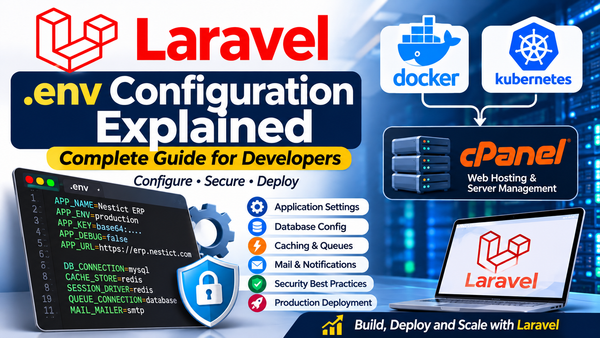
Consider a Laravel .env file.
Development:
APP_NAME=MyApplication
APP_ENV=local
APP_DEBUG=true
APP_URL=http://localhost:8000
Production:
APP_NAME=MyApplication
APP_ENV=production
APP_DEBUG=false
APP_URL=https://example.com
Production configuration should also include:
- Secure database credentials.
- Correct mail configuration.
- Proper session configuration.
- Secure application keys.
- Appropriate cache configuration.
- Correct queue settings.
- Correct filesystem configuration.
- Secure cookie settings.
Never expose production exceptions and stack traces to ordinary application users.
For Laravel, prepare the production environment using appropriate optimization commands:
php artisan optimizeAlso verify that queue workers, scheduled tasks and storage links are configured correctly.
For example:
php artisan storage:linkDo not run deployment commands blindly. Review the application-specific deployment procedure first.
11. Git and Version Control: Stop Pushing Directly to Production
A major problem in AI-assisted development is uncontrolled code modification.
An AI agent may modify dozens of files while implementing a seemingly small feature.
Without version control discipline, developers may struggle to identify what changed or restore a previously working implementation.
Use Git branches.
Recommended Git workflow
                  MAIN
                    |
                    |
                 STAGING
                    |
                    |
                 DEVELOP
                    |
          +---------+---------+
          |         |         |
          v         v         v
       FEATURE   FEATURE   FEATURE
       AUTH      PAYMENTS  REPORTS
          |         |         |
          +---------+---------+
                    |
                    v
              CODE REVIEW
                    |
                    v
              AUTOMATED TESTS
                    |
                    v
              MERGE REQUEST
                    |
                    v
                  STAGING
                    |
                    v
             USER ACCEPTANCE
                    |
                    v
              RELEASE APPROVAL
                    |
                    v
                PRODUCTION
A typical feature development workflow:
Step 1: Create a feature branch
git checkout develop
git pull origin develop

git checkout -b feature/member-registration
Step 2: Allow the AI agent to implement the feature.
Step 3: Inspect modifications
git status
git diff
Step 4: Run tests
php artisan testStep 5: Commit the implementation
git add .
git commit -m "Implement member registration"
Step 6: Push the feature branch
git push origin feature/member-registrationStep 7: Create a merge request.
Review the implementation, automated test results and security implications.
Step 8: Deploy to staging.
Step 9: Conduct user acceptance testing.
Step 10: Approve and deploy the production release.
Git is not simply a place to store code.
It is an important part of change management and software reliability.
12. CI/CD: Automating Quality Before Deployment
CI/CD stands for Continuous Integration and Continuous Delivery or Deployment.
It allows development teams to automate important checks whenever code changes are submitted.
For example, when a developer pushes code to GitLab, the pipeline can automatically:
- Install dependencies.
- Check PHP syntax.
- Run code formatting checks.
- Execute automated tests.
- Perform static analysis.
- Audit dependencies.
- Build frontend assets.
- Build Docker images.
- Deploy to staging.
Illustration 5: CI/CD Pipeline
             DEVELOPER
                 |
                 v
              GIT PUSH
                 |
                 v
          SOURCE CODE REVIEW
                 |
                 v
          DEPENDENCY INSTALL
                 |
                 v
           CODE VALIDATION
                 |
                 v
           AUTOMATED TESTS
                 |
                 v
           SECURITY SCANNING
                 |
                 v
           BUILD APPLICATION
                 |
                 v
            STAGING DEPLOY
                 |
                 v
          USER ACCEPTANCE TEST
                 |
                 v
          PRODUCTION APPROVAL
                 |
                 v
           PRODUCTION RELEASE
                 |
                 v
          MONITORING & ALERTS
A failed critical pipeline check should prevent an unapproved production release.
For teams using GitLab, GitLab CI/CD is a suitable option.
Documentation: https://docs.gitlab.com/ci/
13. Docker and Infrastructure Readiness
An application may work perfectly on a developer's computer and fail on the production server.
Why?
Because the environments may differ.
Examples include:
- Different PHP versions.
- Different database versions.
- Missing PHP extensions.
- Different environment variables.
- Missing operating system packages.
- Incorrect filesystem permissions.
- Different network configurations.
- Missing background services.
Docker helps standardize application environments.
A typical Docker-based architecture might contain:
             PRODUCTION SERVER
                    |
                    v
               DOCKER ENGINE
                    |
       +------------+------------+
       |            |            |
       v            v            v
    NGINX         LARAVEL       MYSQL
    CONTAINER     CONTAINER     CONTAINER
                     |
              +------+------+
              |             |
              v             v
            REDIS         QUEUE
          CONTAINER       WORKER
Before production, verify:
- Container health checks.
- Persistent database volumes.
- Resource limits.
- Container restart policies.
- Image version pinning.
- Network isolation.
- Secrets management.
- Backup procedures.
- Log rotation.
- SSL termination.
- Recovery procedures.
Do not assume that a Docker container is automatically secure because it is isolated.
Container images, privileges, exposed ports and persistent volumes all require review.
14. Backups, Disaster Recovery and Business Continuity
This is one area developers frequently overlook.
Imagine spending six months building a business application.
The application goes live.
Thousands of records are entered.
Then the database server fails.
What happens next?
Without reliable backups and tested restoration procedures, the business could lose critical information.
Before production:
- Configure automated database backups.
- Back up uploaded files.
- Store backups separately from the production server.
- Protect backup access.
- Encrypt sensitive backups.
- Establish backup retention policies.
- Test database restoration.
- Document disaster recovery procedures.
- Establish recovery time and recovery point objectives.
Two important concepts:
RPO: Recovery Point Objective
How much data loss, measured in time, can the business tolerate?
RTO: Recovery Time Objective
How long can the business tolerate the application being unavailable?
For example:
A business might establish:
- RPO: 1 hour.
- RTO: 4 hours.
These are illustrative targets. Actual requirements depend on the business.
A backup that has never been restored is an assumption, not a verified recovery strategy.
15. Monitoring and Observability
Production deployment is not the end of development.
Once users begin interacting with the application, new issues may appear.
Examples:
- Database connection failures.
- High CPU usage.
- Memory exhaustion.
- Failed queue jobs.
- Slow API responses.
- Payment integration errors.
- Unexpected HTTP 500 responses.
- Disk space exhaustion.
- Suspicious login activity.
A production system should have monitoring and alerting.
Useful technologies include:
| Tool | Purpose |
|---|---|
| Prometheus | Metrics collection |
| Grafana | Monitoring dashboards |
| Sentry | Application error tracking |
| Uptime Kuma | Availability monitoring |
| Laravel Telescope | Application debugging and inspection |
| ELK Stack | Centralized log management |
For enterprise applications, establish alerts for critical operational failures.
For example:
APPLICATION MONITORING

CPU USAGE
    |
    v
MEMORY USAGE
    |
    v
DATABASE CONNECTIONS
    |
    v
API RESPONSE TIMES
    |
    v
QUEUE FAILURES
    |
    v
APPLICATION ERRORS
    |
    v
SECURITY EVENTS
    |
    v
ALERTING & INCIDENT RESPONSE
Monitoring should help answer three questions:
- Is the application available?
- Is the application performing correctly?
- Is something going wrong that requires intervention?
16. User Acceptance Testing: Let Real Users Validate the Product
Developers understand how they built an application.
Business users understand how they need to use it.
These perspectives are not always identical.
User Acceptance Testing (UAT) validates whether the application satisfies actual business requirements.
For example, a school administrator might test:
- Registering a new student.
- Transferring a student.
- Allocating students to classes.
- Recording school fees.
- Generating receipts.
- Preparing examination reports.
A SACCO accountant might test:
- Posting deposits.
- Approving withdrawals.
- Reconciling transactions.
- Posting journal entries.
- Generating trial balances.
- Producing financial statements.
UAT should use documented scenarios and expected outcomes.
Do not ask users merely whether they like the dashboard.
Ask whether they can successfully complete the business processes the application is supposed to support.
17. The Production Readiness Gate
Every serious software project should have a formal release approval process.
The following checklist can be adopted as a minimum organizational standard.
| No. | Production requirement | Mandatory |
|---|---|---|
| 1 | Product requirements documented | Yes |
| 2 | Architecture reviewed | Yes |
| 3 | Database schema validated | Yes |
| 4 | Core functionality implemented | Yes |
| 5 | Code review completed | Yes |
| 6 | Automated tests passed | Yes |
| 7 | Critical security checks passed | Yes |
| 8 | Authorization tested | Yes |
| 9 | Database integrity verified | Yes |
| 10 | Performance assessed | Yes |
| 11 | Production environment configured | Yes |
| 12 | HTTPS configured | Yes |
| 13 | Backups configured | Yes |
| 14 | Restoration tested | Yes |
| 15 | Logging and monitoring configured | Yes |
| 16 | Staging deployment successful | Yes |
| 17 | UAT approved | Yes |
| 18 | Rollback procedure documented | Yes |
| 19 | Deployment approved | Yes |
| 20 | Operational ownership established | Yes |
Release classification
A useful release classification system:
NOT READY FOR PRODUCTION
Critical functionality, security or data-integrity problems remain unresolved.
READY AFTER REQUIRED FIXES
The audit has identified issues that must be addressed and verified before deployment.
CONDITIONALLY READY
The release may proceed only after explicitly documented conditions are satisfied and authorized.
PRODUCTION READY
Required engineering, security, testing, operational and business acceptance criteria have been satisfied.
A production-readiness score can help track progress, but it should never override critical security or data-integrity failures.
18. A Master Prompt for Auditing AI-Generated Applications
Every vibe coder should have a reusable production audit prompt.
Instead of asking an AI agent:
"Check whether my application is ready for production."
Give it a structured engineering assignment.
AI Production Readiness Audit
ROLE:

Act as a Senior Software Architect, DevSecOps Engineer,
Application Security Specialist and QA Lead.

OBJECTIVE:

Conduct a comprehensive production-readiness audit
of the current application.

Do not assume the application is production-ready
because the interface looks complete or the features
appear to work.

PHASE 1: ARCHITECTURE

- Inspect the application architecture.
- Review project structure.
- Identify architectural weaknesses.
- Inspect dependencies.
- Review API design.
- Review database relationships.
- Identify scalability limitations.

PHASE 2: CODE QUALITY

- Inspect generated code.
- Identify duplicated code.
- Detect deprecated dependencies.
- Review error handling.
- Identify hardcoded configuration.
- Identify performance bottlenecks.
- Check maintainability.

PHASE 3: SECURITY

- Audit authentication.
- Audit authorization.
- Review RBAC.
- Check for SQL injection.
- Check for XSS.
- Check for CSRF.
- Check for IDOR.
- Review API security.
- Review file uploads.
- Inspect exposed secrets.
- Review session security.

PHASE 4: DATABASE

- Validate database relationships.
- Check foreign keys.
- Review indexes.
- Check unique constraints.
- Review transaction handling.
- Identify duplicate data risks.
- Review migration safety.
- Verify data integrity.

PHASE 5: TESTING

- Run existing automated tests.
- Identify missing test coverage.
- Test critical business workflows.
- Test integration points.
- Identify regression risks.
- Report all failed tests.

PHASE 6: INFRASTRUCTURE

- Review environment configuration.
- Check production debug settings.
- Review HTTPS configuration.
- Inspect Docker configuration.
- Review persistent storage.
- Check backup configuration.
- Review logging and monitoring.
- Verify rollback procedures.

PHASE 7: DOCUMENTATION

Check the availability and quality of:

- README.md
- PRD.md
- ARCHITECTURE.md
- DATABASE.md
- API.md
- SECURITY.md
- TESTING.md
- DEPLOYMENT.md
- PRODUCTION_READINESS.md

PHASE 8: REPORT

Produce:

1. Executive summary.
2. Architecture assessment.
3. Code quality assessment.
4. Security findings.
5. Database findings.
6. Testing results.
7. Performance findings.
8. Infrastructure findings.
9. Critical issues.
10. High-risk issues.
11. Medium-risk issues.
12. Low-risk issues.
13. Recommended remediation.
14. Production readiness decision.

CLASSIFICATION:

NOT READY FOR PRODUCTION
READY AFTER REQUIRED FIXES
CONDITIONALLY READY
PRODUCTION READY

IMPORTANT RULES:

- Do not delete existing data.
- Do not modify production configurations.
- Do not execute destructive migrations.
- Do not expose secrets.
- Do not suppress failing tests.
- Do not claim a test passed without executing it.
- Do not claim an issue is resolved without verification.
- Request authorization before destructive operations.

First conduct the audit and produce the report.

Do not deploy the application.
This prompt should be adapted to the application's actual technology stack and business requirements.
An AI audit is a useful engineering assistant, not a substitute for independent security testing or human approval.
19. A Recommended Development Lifecycle for AI-Assisted Projects
Organizations adopting vibe coding should establish a repeatable development lifecycle.
I recommend the following approach.
Stage 1: Discovery
Understand the business problem.
Identify users, requirements, workflows and expected outcomes.
Stage 2: Planning
Prepare the PRD, SRS, architecture, database design and development roadmap.
Stage 3: MVP Definition
Identify the minimum functionality required to validate the product.
Separate essential features from future enhancements.
Stage 4: Development
Use AI agents to implement individual features through controlled Git branches.
Stage 5: Code Review
Review generated code, dependencies, business logic and database changes.
Stage 6: Automated Testing
Run unit, feature, integration and security tests.
Stage 7: Staging Deployment
Deploy the application to a production-like environment.
Stage 8: User Acceptance Testing
Validate actual business workflows with intended users.
Stage 9: Production Approval
Complete the production-readiness checklist and approve the release.
Stage 10: Monitoring and Maintenance
Monitor performance, errors, security events and user feedback.
Illustration 6: Complete AI-Assisted Software Development Lifecycle
       BUSINESS REQUIREMENTS
                 |
                 v
          PRODUCT PLANNING
                 |
                 v
          SYSTEM ARCHITECTURE
                 |
                 v
             MVP SCOPE
                 |
                 v
          AI-ASSISTED CODING
                 |
                 v
            CODE REVIEW
                 |
                 v
          AUTOMATED TESTING
                 |
                 v
           SECURITY AUDIT
                 |
                 v
         STAGING DEPLOYMENT
                 |
                 v
         USER ACCEPTANCE TEST
                 |
                 v
          RELEASE APPROVAL
                 |
                 v
          PRODUCTION RELEASE
                 |
                 v
          MONITORING & SUPPORT
                 |
                 v
         CONTINUOUS IMPROVEMENT
                 |
                 +-----------> BACK TO PLANNING
This lifecycle is not intended to slow development.
It is intended to make accelerated development sustainable.
20. The Responsibility of the Vibe Coder
There is an important question worth asking:
If an AI agent writes 80% of an application's code, who is responsible when the application fails?
The developer.
The development team.
The organization operating the application.
AI coding assistants are tools. They do not automatically assume responsibility for:
- Customer data.
- Financial transactions.
- Business continuity.
- Regulatory compliance.
- Production infrastructure.
- Security incidents.
- Software maintenance.
The person deploying the application must understand what is being deployed.
This means developers should move beyond simply writing prompts.
They must understand:
- Software architecture.
- Database engineering.
- Application security.
- API design.
- Business logic.
- Testing methodologies.
- Version control.
- Infrastructure.
- Deployment procedures.
- Production operations.
The future developer may write less code manually, but must exercise more judgment over the code being generated.
21. Conclusion: Build Faster, But Engineer Better
Vibe coding is not a replacement for software engineering.
It is a new way of practising software development.
AI can significantly reduce implementation time, simplify repetitive tasks and make software development accessible to more people.
However, it can also accelerate the production of poorly designed, insecure and unreliable applications when developers neglect engineering discipline.
The distinction between a successful AI-generated demonstration and a reliable production application lies in the processes surrounding the code.
A professional developer should be able to answer:
- What problem does the application solve?
- Who are its intended users?
- What are its business rules?
- How is its data structured?
- How are permissions enforced?
- How has it been tested?
- How are failures detected?
- How is data recovered?
- How are changes reviewed?
- How is production deployment controlled?
If these questions cannot be answered, the application may not be ready for production, regardless of how impressive its interface looks.
The objective should not be to generate the largest application in the shortest possible time.
It should be to deliver software that solves real problems and remains secure, reliable, maintainable and recoverable throughout its operational life.
The new generation of developers must learn to do more than prompt AI to build applications. They must learn to engineer, verify, govern and maintain the applications AI helps them create.
Further Reading and Technical Resources
- OWASP Top 10: https://owasp.org/www-project-top-ten/
- OWASP Application Security Verification Standard: https://owasp.org/www-project-application-security-verification-standard/
- Laravel Documentation: https://laravel.com/docs
- Vue.js Documentation: https://vuejs.org/guide/
- Docker Documentation: https://docs.docker.com/
- GitLab CI/CD Documentation: https://docs.gitlab.com/ci/
- PHPUnit Documentation: https://docs.phpunit.de/
- PHPStan Documentation: https://phpstan.org/
- Git Documentation: https://git-scm.com/doc
- NIST Secure Software Development Framework: https://csrc.nist.gov/pubs/sp/800/218/final
Editorial takeaway:
MVP defines what to build first. Software engineering defines how to build it correctly. DevSecOps defines how to deliver and operate it safely.
Vibe coding may accelerate the journey, but production readiness remains an engineering responsibility.