Troubleshooting Ghost CMS Publishing Errors on EasyPanel

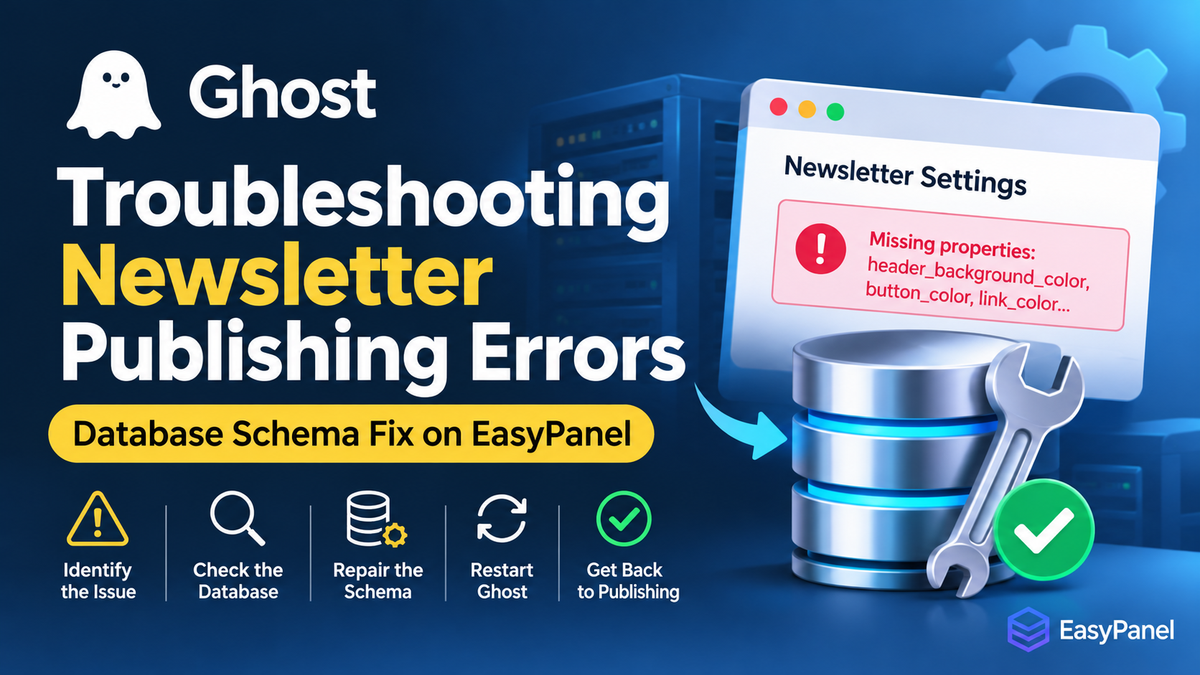
Diagnosing and Fixing Newsletter Database Schema Drift
Platform: Ghost CMS
Deployment: Docker / EasyPanel
Database: MySQL
Incident: Ghost Admin newsletter validation and publishing failure
Affected version: Ghost 6.74.0
Resolution: Direct MySQL schema repair
1. Introduction
Ghost CMS relies on a database schema that must remain consistent with the application version.
During this incident, Ghost Admin encountered newsletter configuration validation errors. The application expected several newsletter color fields that were missing from the actual MySQL newsletters table.
The unusual part was that Ghost's migration history indicated that the relevant database migrations had already executed.
This created a situation where:
- Ghost application code expected newer database columns.
- The migration history indicated that the migrations were complete.
- The physical MySQL table did not contain the expected columns.
- Newsletter configuration validation failed.
- Publishing functionality was affected.
The issue was eventually resolved by repairing the database schema directly, without reinstalling Ghost or deleting existing content.
2. Understanding the Symptoms
The Ghost Admin interface displayed validation errors relating to missing newsletter properties.
The affected properties were:
| Missing property | Purpose |
|---|---|
header_background_color | Newsletter header background color |
button_color | Newsletter button color |
link_color | Newsletter hyperlink color |
post_title_color | Newsletter post title color |
section_title_color | Newsletter section heading color |
divider_color | Newsletter divider color |
These fields are part of Ghost's newsletter customization functionality.
When the application expects properties that the database cannot provide, validation or database operations may fail.
Important: Not every publishing error is caused by newsletter schema problems. Always establish the actual failure before changing the database.
3. Understand the Deployment Environment
For an EasyPanel deployment, identify the following:
- Ghost application container
- MySQL database container
- Database name
- Database hostname
- Database username
- Application URL
- Current Ghost version
The relevant environment variables in this incident included:
NODE_ENV=production
database__client=mysql
url=https://www.news.example.com
database__connection__host=example-db
database__connection__database=example
Do not publish database passwords in screenshots, support tickets, or troubleshooting logs.
Check the Ghost version
Inside the Ghost container:
cd /var/lib/ghost

ghost version
If the Ghost CLI is unavailable, inspect the application package:
node -p "require('/var/lib/ghost/current/package.json').version"4. Investigate the Newsletter Table
Connect to MySQL using the database credentials configured in EasyPanel.
mysql -u YOUR_DB_USER -pSelect the correct database:
USE YOUR_DATABASE;Inspect the newsletter table:
SHOW COLUMNS FROM newsletters;Inspect the existing newsletter records:
SELECT * FROM newsletters;Check how many records exist:
SELECT COUNT(*) AS newsletter_count
FROM newsletters;
Compare the actual table structure with the columns expected by the Ghost application.
In this incident, the table had older newsletter color fields:
background_color
border_color
title_color
But the newer application expected:
header_background_color
button_color
link_color
post_title_color
section_title_color
divider_color
This was the first major indication of database schema drift.
5. Investigate Ghost Migration History
Ghost stores migration history in its database.
Inspect the migration table:
SELECT *
FROM migrations
ORDER BY id DESC
LIMIT 30;
Search for newsletter-related migrations:
SELECT *
FROM migrations
WHERE name LIKE '%newsletter%'
ORDER BY id;
In this incident, the migration history showed that the newsletter migrations had already run.
Relevant migrations included:
| Migration version | Operation |
|---|---|
| 5.121 | Drop newsletter border_color |
| 5.121 | Rename title_color to post_title_color |
| 5.121 | Add newsletter color columns |
| 5.122 | Change default newsletter button color |
| 5.126 | Change newsletter link color default |
| 5.126 | Update existing NULL link colors |
| 6.23 | Add newsletter share button |
The migration records existed, but the actual table structure did not reflect all those changes.
This is an important distinction:
A migration being recorded as completed does not guarantee that the current physical database schema is correct.
Possible causes include:
- An incomplete database restoration.
- Manual database modifications.
- A failed or partially restored migration.
- Database changes made outside Ghost.
- An inconsistent backup containing migration history from a different schema state.
Do not assume the migration history is correct without inspecting the actual table.
6. Inspect Ghost's Original Migration Files
The migration source files provide authoritative information about the intended schema.
Inside the Ghost container:
cd /var/lib/ghost/current/core/server/data/migrations/versionsInspect the relevant 5.121 migration files:
cat 5.121/*newsletters*Inspect the 5.122 migration:
cat 5.122/*newsletter*Inspect the 5.126 newsletter migrations:
for f in 5.126/*newsletter*; do
    echo "===== $f ====="
    cat "$f"
done
The relevant migration definitions established the following:
header_background_coloris a 50-character string, NOT NULL, defaulting totransparent.section_title_coloris nullable.divider_coloris nullable.button_coloris nullable, with a default ofaccent.link_coloris nullable, with a default ofaccent.- Existing NULL link colors should be updated to
accent. title_colorshould be renamed topost_title_color.border_colorshould be removed.
Inspect migration source code before constructing a manual repair. Never invent column types or defaults.
7. Back Up the Newsletter Table
Before changing the database, preserve the existing records.
The following command creates a copy of the newsletter data:
CREATE TABLE newsletters_backup_YYYYMMDD
AS
SELECT *
FROM newsletters;
Replace YYYYMMDD with the backup date.
Verify the backup:
SELECT COUNT(*)
FROM newsletters_backup_YYYYMMDD;
Backup limitation: CREATE TABLE ... AS SELECT copies table data and column definitions but does not preserve all indexes, constraints, triggers, or other table metadata.
For a complete backup, use a database dump:
mysqldump -u YOUR_DB_USER -p YOUR_DATABASE newsletters \
> newsletters_full_backup.sql
Keep the backup until the repair and publishing tests have been completed successfully.
Remember that MySQL DDL operations such as ALTER TABLE implicitly commit. A transaction is not a substitute for a backup.
8. Repair the Newsletter Schema
Only perform this repair after confirming all of the following:
- The actual database is the one used by Ghost.
- The existing column names match the older schema.
- The required new columns are missing.
- The migration source files confirm the expected definitions.
- A backup has been created.
Select the database:
USE YOUR_DATABASE;Run the following repair:
ALTER TABLE newsletters
    DROP COLUMN border_color,
    CHANGE COLUMN title_color post_title_color VARCHAR(50) NULL DEFAULT NULL,
    ADD COLUMN header_background_color VARCHAR(50) NOT NULL DEFAULT 'transparent',
    ADD COLUMN section_title_color VARCHAR(50) NULL DEFAULT NULL,
    ADD COLUMN divider_color VARCHAR(50) NULL DEFAULT NULL,
    ADD COLUMN button_color VARCHAR(50) NULL DEFAULT 'accent',
    ADD COLUMN link_color VARCHAR(50) NULL DEFAULT 'accent';
Then update any existing NULL values:
UPDATE newsletters
SET button_color = 'accent'
WHERE button_color IS NULL;

UPDATE newsletters
SET link_color = 'accent'
WHERE link_color IS NULL;
The repair performed in this incident completed successfully without MySQL errors or warnings.
Note: If an UPDATE reports zero matching rows, it means no rows matched that condition. It does not by itself prove that the table is empty. Check the record count separately.
Important warning
The SQL above is specific to the affected older schema.
Do not execute it blindly on another Ghost installation. If the columns already exist, the operation will fail. If your database has a different structure, adapt the repair using the migration files for that Ghost version.
9. Verify the Repaired Database
Inspect the table:
SHOW COLUMNS FROM newsletters;Inspect the newsletter configuration:
SELECT
    id,
    name,
    header_background_color,
    button_color,
    link_color,
    post_title_color,
    section_title_color,
    divider_color
FROM newsletters;
Expected column definitions:
| Column | Expected definition |
|---|---|
header_background_color | VARCHAR(50), NOT NULL, DEFAULT 'transparent' |
section_title_color | VARCHAR(50), NULL |
divider_color | VARCHAR(50), NULL |
button_color | VARCHAR(50), NULL, DEFAULT 'accent' |
link_color | VARCHAR(50), NULL, DEFAULT 'accent' |
post_title_color | VARCHAR(50), NULL |
Confirm that the obsolete border_color and old title_color columns are no longer present.
10. Restart Ghost Through EasyPanel
After confirming that the database structure is correct:
- Log in to EasyPanel.
- Open the Ghost application.
- Locate the application container.
- Restart the Ghost service.
- Wait for the container to become healthy.
- Open Ghost Admin again.
A restart ensures that the application reconnects to the database after the schema repair.
Do not delete the Ghost content directory or reinstall the application.
11. Test Publishing
Perform the following checks:
| Test | Expected result |
|---|---|
| Open Ghost Admin | Dashboard loads |
| Open newsletter settings | Settings load without validation errors |
| Save newsletter settings | Changes save successfully |
| Create a test post | Editor works |
| Publish a test post | Publishing succeeds |
| View the published post | Public page loads |
| Check newsletter configuration | Colors and other settings persist |
If publishing still fails, inspect the browser's Developer Tools:
- Press F12.
- Open the Network tab.
- Attempt to publish again.
- Locate the failed request.
- Inspect its HTTP status and response body.
Also inspect Ghost logs:
tail -n 100 /var/lib/ghost/content/logs/*.logFor Docker-level logs, use the relevant container logs in EasyPanel.
Do not expose credentials, session cookies, or authorization tokens when sharing logs.
12. What NOT to Do
During this incident, several tempting actions would have introduced unnecessary risk.
Avoid:
- Reinstalling Ghost to solve a database schema problem.
- Deleting the
newsletterstable. - Deleting existing newsletter records.
- Editing migration history to make Ghost believe migrations ran again.
- Running random SQL statements without inspecting the migration source.
- Repeatedly running database migrations when the migration history already indicates completion.
- Changing the Ghost production URL without evidence that it is causing the failure.
- Deleting
/var/lib/ghost/content, which contains important application content. - Upgrading Ghost during an unresolved database incident.
The safest approach is to identify the exact mismatch and repair only the affected schema.
13. Preventing Future Ghost Database Problems
For production Ghost installations, adopt the following maintenance practices.
A. Back up before upgrading
Create a database backup and preserve the Ghost content directory before major upgrades.
Example:
mysqldump -u YOUR_DB_USER -p YOUR_DATABASE \
> ghost_database_backup.sql
Back up the content directory separately:
tar -czf ghost_content_backup.tar.gz \
-C /var/lib/ghost content
Store backups outside the application container whenever possible.
B. Verify migrations after upgrades
After an upgrade, check the migration history:
SELECT *
FROM migrations
ORDER BY id DESC
LIMIT 20;
For critical tables, compare their physical schema with the expected migration definitions.
C. Keep database and application backups synchronized
Avoid restoring an old database while retaining migration records from a newer database state.
A backup should represent a consistent application and database state.
D. Test upgrades before production
Where possible, maintain a staging Ghost installation.
Test:
- Ghost version upgrades.
- Database migrations.
- Newsletter configuration.
- Post creation and publishing.
- Theme compatibility.
- Email delivery.
E. Monitor application health
Periodically inspect:
docker psCheck the Ghost container logs:
docker logs --tail 100 YOUR_GHOST_CONTAINERCheck MySQL container health and database connectivity as well.
14. Incident Summary
| Item | Result |
|---|---|
| Application | Ghost CMS 6.74.0 |
| Hosting | EasyPanel |
| Database | MySQL |
| Affected table | newsletters |
| Root cause | Database schema drift |
| Migration history | Relevant migrations already recorded |
| Missing fields | Newsletter customization color columns |
| Repair method | Direct MySQL ALTER TABLE |
| Application reinstall | Not required |
| Existing content deletion | Not required |
| Final result | Publishing restored successfully |
15. Final Lessons
This incident demonstrates why troubleshooting a production application requires examining both application code and the database underneath it.
Ghost was not necessarily suffering from a defective publishing engine. Its application expected a database structure that the actual database did not provide.
The migration history alone was insufficient to establish database integrity.
The successful repair followed a controlled process:
- Identify the error.
- Inspect the actual database schema.
- Check migration history.
- Inspect the original migration source files.
- Back up affected data.
- Repair the exact missing or outdated columns.
- Verify the schema.
- Restart Ghost.
- Test publishing.
The central lesson: Always compare the application's expected schema with the physical database schema. A migration record is evidence of a migration event, not proof that every expected database change is currently present.
This method is useful beyond Ghost CMS. Similar schema-drift problems can affect Laravel, WordPress plugins, Moodle, Shopware, and other database-driven applications.